
Staff Accommodation Software for HR and Facilities Teams
Manage every employee housing unit, every occupancy change, and every maintenance request in one platform. Built for HR, admin, and facilities teams responsible for company-provided staff accommodation.
- Multi-Property Portfolio Management
- Role-Based Team Access
- Compliance-Ready Records
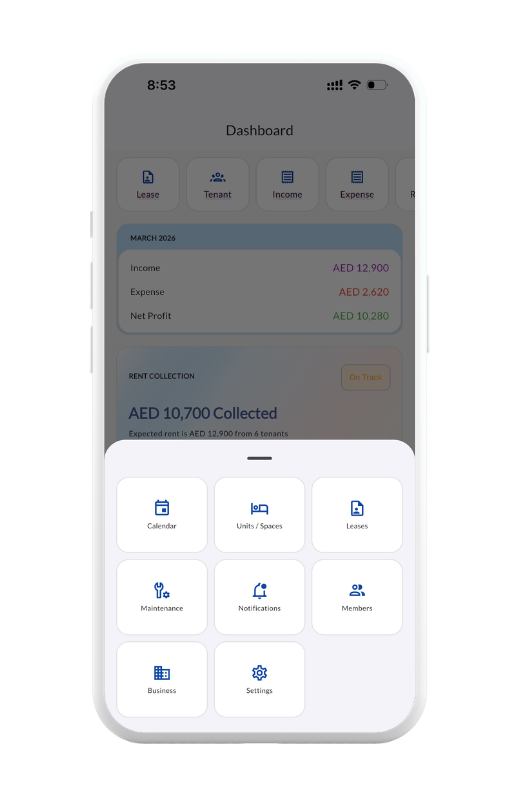
Employee Housing Shouldn't Be Run from a Spreadsheet
If your company provides accommodation to staff — whether for offshore workers, contract employees, expatriate engineers, or hospitality crews — you already know the operational weight. Hundreds of beds across multiple properties. Constant move-ins and move-outs as employees rotate. Maintenance requests piling up from every site. HR teams chasing facilities. Facilities teams chasing finance. Finance asking everyone for spreadsheets.
The reality is that employee housing is one of the most under-tooled functions in most companies. HR uses Excel. Facilities uses a different Excel. Maintenance lives in WhatsApp groups. Nobody has a real-time view of occupancy, costs, or status.
Bedspace Manager replaces that fragmented setup with one system — built for the multi-tenant, multi-property reality of company-provided staff accommodation.
Built for the Way Companies Actually House Their Staff
Multi-tenant properties, rotating occupancy, role-based access for HR and facilities, expense tracking instead of rent collection. Every feature shaped around how corporate accommodation actually operates.
Multi-Property, Multi-Tenant Portfolio Management
One Platform for Every Property Your Company Houses Staff In Manage entire properties leased to a single employee, or multi-tenant buildings split into rooms and beds across dozens of staff. Track occupancy by employee, room, floor, building, and city. Whether you're managing 50 beds or 5,000, the workflow stays the same.
Role-Based Access for HR, Facilities, and Finance
The Right Access for Every Team Member Invite HR managers, facilities supervisors, finance staff, and maintenance agents — each with role-specific permissions. HR sees occupancy and staff records. Facilities sees maintenance and properties. Finance sees expenses and reports. Nobody sees what they shouldn't.
Expense Tracking Built for Free or Subsidized Housing
Track Costs Even When Employees Don't Pay Rent Most staff accommodation is provided free or at subsidized rates as part of employment. Bedspace Manager treats expenses as first-class data — utilities, maintenance, deposits, repairs, and facility costs are all tracked at the property and unit level for accurate cost reporting.
One Platform for Every Type of Employee Housing
Companies house staff in many different ways depending on the workforce. A senior engineer might get a private apartment leased entirely to them. Twenty operations crew might share a multi-tenant villa with bunk beds. Two hundred construction workers might live in a labour camp setup across multiple buildings. A growing tech company might house contract employees in shared serviced apartments.
Bedspace Manager handles all of it. Lease an entire property to a single employee on a monthly basis. Split a villa into private rooms or shared bedspaces. Configure multi-building camps with floor-by-floor occupancy tracking. The same dashboard shows everything — by employee, by property, by city, by cost center.
Every Feature, Shaped for Employee Housing
Real-Time Occupancy Across Every Property
Know Who Lives Where, Right Now 17 dashboard widgets give instant visibility into occupancy by employee, room, floor, building, and city. Empty beds are flagged. Upcoming move-outs are forecast. The Business Atlas drills from city level down to individual beds.
Expense Tracking by Property and Unit
Accurate Cost Allocation for Every Property Track utilities, maintenance, repairs, deposits, and facility expenses at the property and unit level. Categorize by narration — water, electricity, internet, security, cleaning — for clean reporting to finance and management.
Maintenance Requests with Team Workflows
Resolve Issues Without WhatsApp Group Chaos Employees log maintenance requests through the system. Facilities team gets notified instantly. Time tracking shows how long each issue takes to close. Maintenance summary by type and status gives the operations director a portfolio-level view.
Recurring Expense Automation
Set Recurring Costs Once, Track Forever Automate recurring expenses — monthly utilities, internet, security, cleaning contracts. Configure in arrears, current month, or advance to match how vendors bill. Saves hours of manual entry every month.
Bulk Employee Onboarding via Excel Import
Onboard Entire Workforce Batches at Once When a new project starts or a wave of contractors arrives, import the full list via Excel. Assign them to properties and beds in minutes — no manual data entry, no errors.
Monthly Reports for Finance and Management
Audit-Ready Reporting, Delivered Automatically At the start of each month, the founder receives two reports by email — an insights PDF for management and a complete transactions Excel for finance and audit. Tax-ready, board-ready, compliance-ready.
From Setup to Full Portfolio — In 5 Steps
Step 1 — Set Up Your Business
Add your company name and country. Currency and time zone configure automatically — supporting corporate accommodation operators across the UAE, Saudi Arabia, Qatar, the UK, the US, India, and 100+ other countries.
Step 2 — Add Your Staff Accommodation Properties
Add single properties or bulk-add an entire portfolio in one go. Configure each property by type — single-tenant apartments, multi-tenant villas, or full labour camps.
Step 3 — Configure Rooms, Beds, and Unit Types
Split multi-tenant properties into rooms, partitions, or shared spaces. Set unit types and bed types based on how your workforce is housed.
Step 4 — Onboard Your Employees
Add employees individually or bulk-import a full workforce via Excel. Assign each employee to a property, room, and bed. Track move-in dates, deposits, and any allowances paid.
Step 5 — Run Operations
Maintenance requests, expense tracking, occupancy reports, and team workflows run on autopilot. HR sees who lives where. Facilities sees what needs fixing. Finance sees what it costs. Everyone works from the same source of truth.
Built for Every Type of Organization Housing Staff
Small Companies with Staff Accommodation
Managing housing for 10-30 employees in one or two properties? The Starter plan handles up to 30 leases — perfect for small operations and hospitality teams.
Growing Companies Across Multiple Properties
Housing 50-90 employees across several properties? The Growth plan supports up to 90 leases with the same full feature set. Common for mid-size construction, hospitality, and contracting firms.
HR and Facilities Teams with Operational Staff
Need separate access for HR, facilities, finance, and maintenance teams? The Elite plan adds role-based team management and WhatsApp integration — built for 5-10 staff properties with operational depth.
Large Enterprises and Industrial Operators
Housing hundreds or thousands of employees across multiple cities or labour camps? The Teams plan offers unlimited leases, own-WhatsApp integration, and advanced reporting for the operational complexity of enterprise staff accommodation.
Why HR and Facilities Teams Choose Bedspace Manager
Custom-Built Internal Systems vs Bedspace Manager
Same-day deployment, ongoing updates, mobile and web access — without the cost of building or maintaining custom software
Excel Spreadsheets vs Bedspace Manager
Real-time multi-property occupancy, automatic expense tracking, mobile access — no version conflicts, no lost files
Generic Property Software vs Bedspace Manager
Multi-tenant support, free/subsidized housing workflows, employee-centric tracking — features built for corporate accommodation, not residential rentals
Disconnected HR & Facilities Tools vs Bedspace Manager
One platform shared by HR, facilities, finance, and maintenance — with role-based access keeping data appropriately separated
Frequently Asked Questions
What is staff accommodation software?
Staff accommodation software is a digital platform built to help HR, facilities, and admin teams manage employee housing provided by their company. Unlike residential property tools, staff accommodation software handles multi-tenant occupancy with rotating workforces, tracks expenses for free or subsidized housing arrangements, provides role-based access for cross-functional teams, and supports compliance-ready reporting for management and audit purposes.
Is Bedspace Manager suitable for free or subsidized employee housing?
Yes. Many companies provide staff accommodation as a benefit at zero or subsidized rent. Bedspace Manager treats expenses as first-class data — utilities, maintenance, repairs, and facility costs are all tracked at the property and unit level, even when no rent is being collected from employees.
Can HR, facilities, and finance teams have separate access?
Yes. Bedspace Manager supports five role types — Founder, Admin, Manager, Finance, and Service Agent. You can invite team members with role-specific permissions. HR sees occupancy and employee records. Facilities sees maintenance and property data. Finance sees expenses and reports. Each role only sees what’s relevant to their function.
Does Bedspace Manager support labour camp management?
Yes. Bedspace Manager is used by labour camp operators across the GCC to manage hundreds and even thousands of beds across multiple buildings. The platform supports bulk property setup, multi-tenant rooms, bunk beds, and floor-by-floor occupancy tracking — all built for the scale of industrial worker accommodation.
Can I bulk-import a list of employees during a new project?
Yes. Excel import lets you onboard an entire workforce in a single upload. Assign each employee to a property and bed in minutes, without manual data entry.
How does Bedspace Manager handle employee turnover?
The Calendar view shows every move-in and move-out for any month with monthly summaries and date-wise detail. Lease extensions handle employees staying longer than planned. Mark-complete handles departures, whether scheduled or unexpected. The audit trail stays intact through every change.
Is the data compliance-ready for audit and HR reporting?
Yes. Every transaction is recorded permanently — invoices and transactions cannot be deleted, only voided, with voided items remaining visible in the audit trail. Monthly reports are delivered automatically as PDF insights and Excel transaction logs, ready for finance, audit, or management review.
How much does staff accommodation software cost?
Bedspace Manager starts at AED 55 per month (approximately $15 USD) for the Starter plan, supporting up to 30 leases. Plans scale up to unlimited leases for large enterprises and industrial operators. Every plan includes a 14-day free trial with no credit card required.
Is there a free trial?
Yes. Every plan includes a 14-day free trial with full access to that tier’s features. No credit card required to start.
What happens to our company's data if we cancel?
Your account remains active through the end of your current billing cycle. After cancellation, you have read-only access to your data for four full months before permanent deletion — giving your HR, finance, or compliance team plenty of time to export records and complete handover.